![Grip-Vertical-Logo-Purple-1.png]](https://support.grip.events/hs-fs/hubfs/Grip-Vertical-Logo-Purple-1.png?width=23&height=34&name=Grip-Vertical-Logo-Purple-1.png)
In this guide we will cover :
If you have already set up a successful connection within the Grip dashboard, and are ready to complete the integration, we recommend reading the primary Native Integration guide.
Getting Jonas API credentials
To connect to Jonas, you will need the below credentials :
- User Name
- Password
- Queue Identifier
- EventRef
Q. Where can I find these credentials?
Please reach out to your Jonas point of contact and request the above information.
Connecting to Jonas
This section will provide steps on how to connect to Jonas. This section assumes that you have already configured API access
When would I use this?
These steps should be taken as your first step to configuring a Native Integration with Jonas.
How do I use this?
Connect to Jonas.
1. Click 'Jonas' on the Jonas integration block. This will be for the attendee data. If you need to map to multiple data types in Grip, you will need to create multiple instances.
2. This will open a new window, where you will need to input your Credentials. If you are connecting to multiple events in Jonas, you will need an individual instance for each, with its own Credentials
3. Selecting the source data. Click the down arrow next to “Select data type(s)”. This will present a list of the different Registrant types in your Jonas Event. Select which types you want to import, and identify which type in Grip this should be directed too.
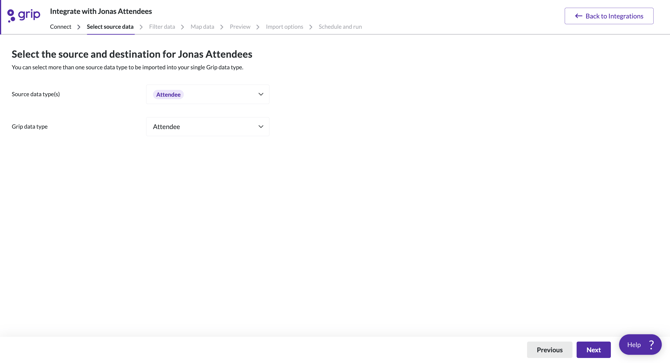
Note: Multiple Registrant types can be selected, however they can only be imported to one data type in Grip. If you require multiple types, each will need its own integration.
Recommended next steps :
Pointers
Pointer type: Queue Mark up
Pointer works during editing: Yes
Check on creation time or update time: Yes
Data type filtering: No
Time window filtering: No