![Grip-Vertical-Logo-Purple-1.png]](https://support.grip.events/hs-fs/hubfs/Grip-Vertical-Logo-Purple-1.png?width=23&height=34&name=Grip-Vertical-Logo-Purple-1.png)
In this guide we will cover :
Getting SIREXE credentials
To connect to SIREXE, you will need an API Key.
Q. Where can I find the API Key?
Please reach out to your SIREXE point of contact and request the above information.
Please note: Each SIREXE event has its own API key. Request a new key for every event you connect to Grip.
Connect SIREXE
This section will provide steps on how to connect to SIREXE. This section assumes that you have access to the required API key.
When would I use this?
These steps should be taken as your first step to configuring a Native Integration with SIREXE.
How do I use this?
-
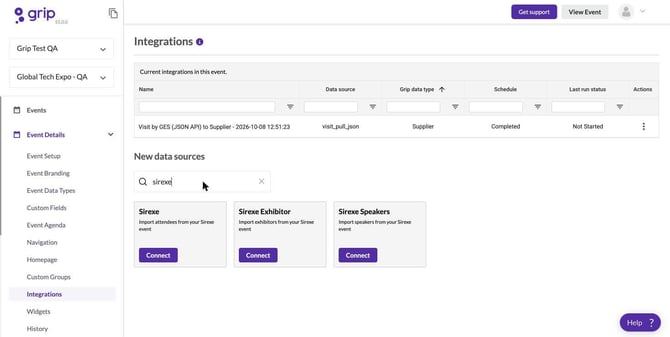
Click on “Connect” for the SIREXE integration block.
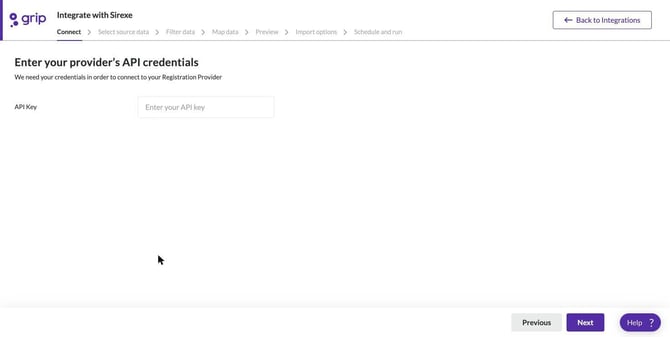
- Enter your API Key.
- Select Attendees as the source data.
- This has now connected the SIREXE event to the Grip event, click next and move onto filtering and data mapping.
Please note: SIREXE does not support filtering by date. Changing the start date in the Select source data step does not change the sample records shown in the Filter, Mapping and Preview steps.
Recommended next steps :
Pointers
Pointer type: Last imported time
Pointer works during editing: No
Check on creation time or update time: Creation time only
Data type filtering: No
Time window filtering: No