![Grip-Vertical-Logo-Purple-1.png]](https://support.grip.events/hs-fs/hubfs/Grip-Vertical-Logo-Purple-1.png?width=23&height=34&name=Grip-Vertical-Logo-Purple-1.png)
Xperience by Kentico (XBK) is the newer version of Kentico. If your event website still runs on the older version, see Native Integration with Kentico instead.
In this guide we will cover :
- Getting Xperience by Kentico (XBK) API credentials
- Connecting to Xperience by Kentico (XBK) in the native integration wizard
- Recommended settings
- Pointers
If you have already set up a successful connection within the Grip dashboard, and are ready to complete the integration, we recommend reading the primary Native Integration guide.
Getting Xperience by Kentico (XBK) credentials
To connect to Xperience by Kentico (XBK), you will need the following information:
- API Key
- Host: the full endpoint URL for the data you want to import
Q. Where can I find these credentials?
Please reach out to your Kentico web team (the team that manages your event website) and request the above information.
Each type of data has its own endpoint URL. For example, the Exhibitors endpoint looks like this:
https: // <your-event-website>/api/GetExhibitors/en/exhibitors
Please note: One API key works for every data type. The endpoint URLs are different for each data type and change for each event, so request new URLs each time you set up a new event.
Connecting to Xperience by Kentico (XBK)
This section will provide steps on how to connect to Xperience by Kentico (XBK). This section assumes that you have access to the required credentials.
When would I use this?
These steps should be taken as your first step to configuring a Native Integration with Xperience by Kentico (XBK).
How do I use this?
1. Click on “Connect” for the Xperience by Kentico (XBK) integration block for the data you want to import. There is a separate block for each:-
- Exhibitors, Partners and Sponsors: import into a Company data type in Grip
- Speakers: import into a participant data type in Grip
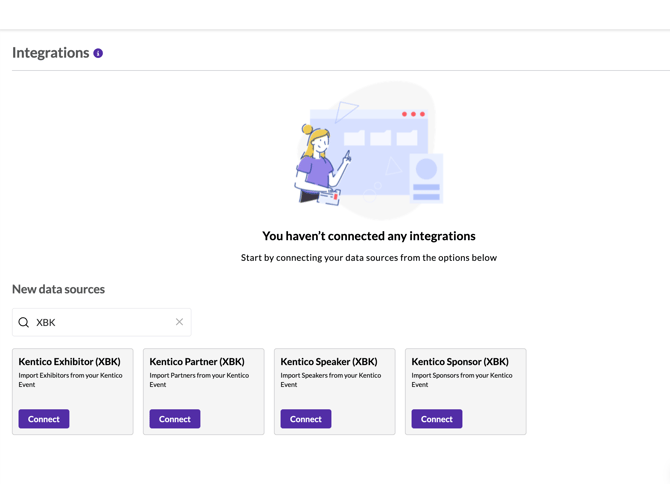
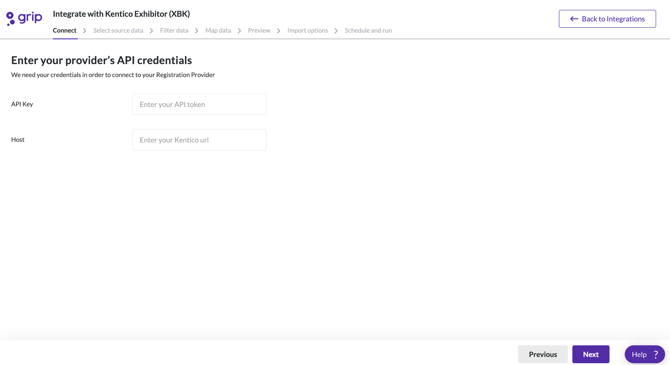
2. Enter your API Key, and in Host enter the endpoint URL for the data type of this block.
3. Select the source data for this block.
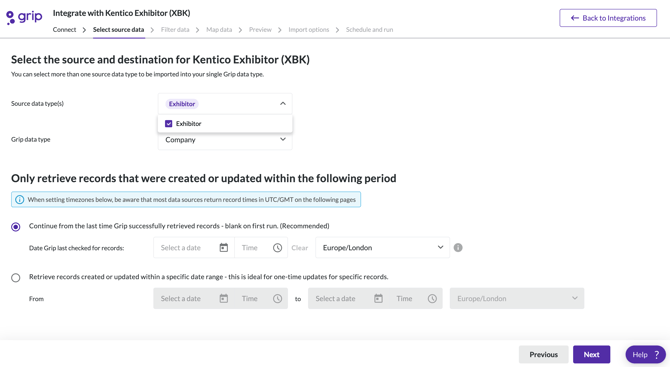
- 'From the last time Grip successfully retrieved records' is the recommended option for integration that will be scheduled to run repeatedly. This will look for any new or updated records.
- 'From start time to end time' is the recommended option if you are trying to run an update and want to make sure all records are updated.
Please note: Sessions cannot be imported from Xperience by Kentico (XBK).
Recommended settings
- Filter Data: add a filter on Status equals Active, so only live records are imported.
- Map Data: the fields are the same as the older Kentico integration, plus AssetDocumentGUID and PageDocumentGUID
- Relationship generation: turn this on.
Recommended next steps :
Pointers
Pointer type: Timestamp
Pointer works during editing: No
Check on creation time or update time: Both
Data type filtering: No
Time window filtering: Yes